创建仓库与分支
在GitHub上创建仓库
本地文件夹上传到github仓库
1
2
3
4
5
|
git init
git commit -m "first commit"
git branch -M main
git remote add origin https://github.com/rusthx/GithubActionTest.git
git push -u origin main
|
创建并切换分支
1
2
|
git switch -c dev
git switch main
|
将当前分支推送到 origin,并设置上游关系
1
2
|
git switch dev
git push -u origin dev
|
创建workflows
在文件夹下创建test.py,填入print("hello world")。
在文件夹下创建文件.github\workflows\first.yaml,注意是.github不是github文件夹。
 1
 2
 3
 4
 5
 6
 7
 8
 9
10
11
12
13
14
15
16
17
18
19
20
|
name: fristtest

on:
  push:

jobs:
  test:
    runs-on: ubuntu-24.04
    if: github.ref == 'refs.heads/main'
    steps:
      - name: Checkout
        uses: actions/checkout@v6

      - name: Setup Python
        uses: actions/setup-python@v6
        with:
          python-version: '3.13'

      - name: Run test.py
        run: python test.py
|
这个工作流的意思是判断上传分支是main分支才执行,其他分支跳过。job有3个steps,运行在ubuntu-24.04上。
- 复用checkout action,作用是创建工作流容器,拉取仓库里最新的代码
- 复用setup-python action,作用是在容器里安装python3.13
- 运行test.py,会打印hello world
提交更改到GitHub上。
1
2
3
|
git add .
git commit -m 'test.py练习'
git push
|
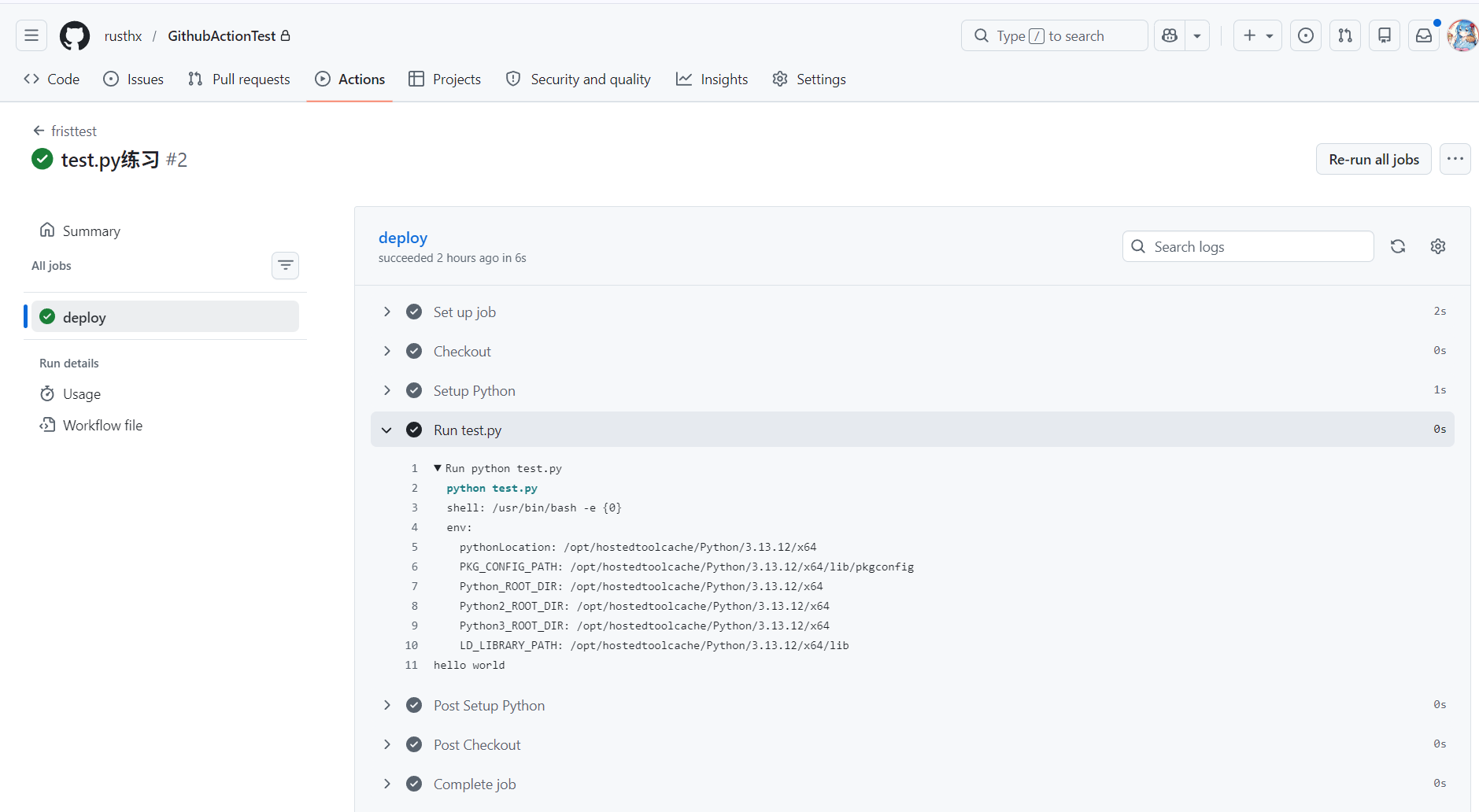
运行成功截图:
切换分支,测试提交
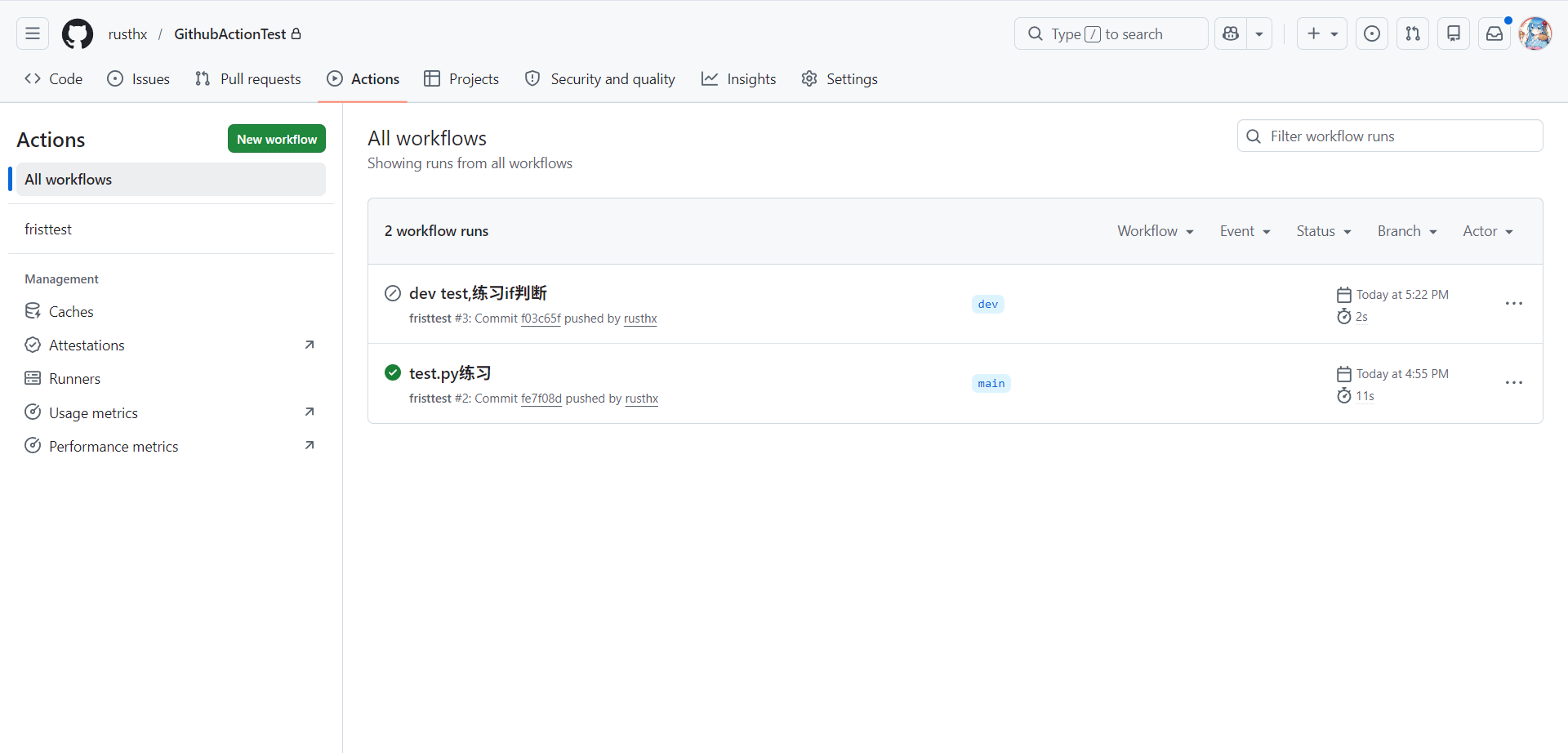
切换到dev分支,修改test.py,填入print("hello dev"),提交。
1
2
3
4
5
|
git switch dev
# 修改test.py
git add .
git commit -m 'dev test,练习if判断'
git push
|
dev分支提交的更改被成功跳过。
分支练习
写一个流水线,当push到main分支时打印“准备发布”,当push到其他分支时打印“仅测试”,并输出当前分支名和提交者姓名。
- github.ref 完整引用路径,如 refs/heads/main、refs/heads/dev
- github.ref_name 纯分支名,如 main、dev
- github.actor 触发这次 Action 的 GitHub 用户名
 1
 2
 3
 4
 5
 6
 7
 8
 9
10
11
12
13
14
15
16
17
18
19
20
21
22
23
24
25
|
name: branch-check

on:
    push:

jobs:
    check:
        runs-on: ubuntu-24.04
        env:
          BRANCH_NAME: ${{ github.ref_name }}
          ACTOR_NAME: ${{ github.actor }}
        steps:
          - name: Checkout
            uses: actions/checkout@v6

          - name: Branch print
            run: |
              if [ "$BRANCH_NAME" == "main" ]; then
                  echo "准备发布"
              else
                  echo "仅测试"
              fi

          - name: Info print
            run: echo "分支:BRANCH_NAME,提交者:$ACTOR_NAME pushed this change"
|
刚刚在dev分支做了修改并提交到了GitHub仓库,然后我在GitHub仓库里merge了更改。
merge后远程仓库main分支的代码和本地的不同,需要先拉取远程仓库代码到本地再做修改,然后再推到远程仓库。
1
2
3
4
5
6
7
|
git pull origin main
# 对最新的代码进行修改

# 提交修改到远程仓库
git add .
git commit -m "main分支做了一些修改"
git push origin main
|
本地main分支修改后,再推到远程仓库会报错,解决步骤如下:
 1
 2
 3
 4
 5
 6
 7
 8
 9
10
11
12
|
# 保存本地修改
git add .
git commit -m "保存本地改动"
# 拉取远程仓库代码
git pull origin main
# 对比差异,更改代码(手工对比删除不要的代码)


# 推送代码
git add .
git commit -m "解决 main 分支合并冲突"
git push origin main
|